


Product Design Software
9 Questions to Ask Before Investing in a Magento Product Designer Tool
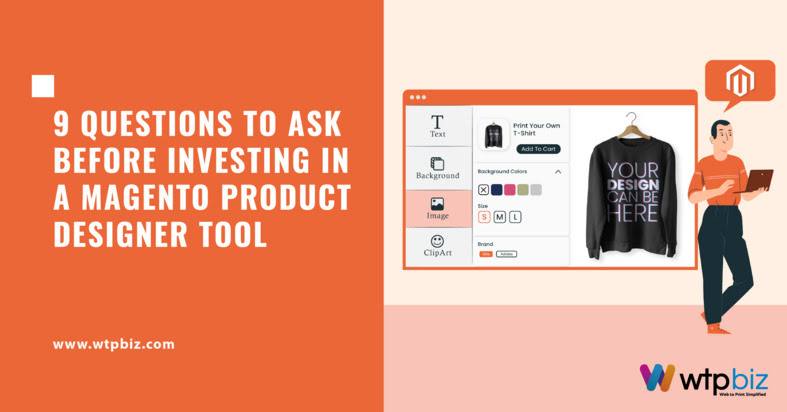
Investing in a Magento Product Designer Tool warrants careful consideration. Before committing resources, evaluate its compatibility with your business needs, customization capabilities, user interface, integration with Magento platform, scalability, mobile responsiveness, and support services. Ensure the tool aligns with your brand’s design requirements, offers a seamless user experience, and provides adequate training options.
Here are the 9 Questions to Ask Before Investing in a Magento designer Tool!

1. What are the key features of the Magento Product Designer tool?
The Magento Product Designer Tool stands as an exemplary solution for businesses seeking to empower their customers in the online shopping experience.
User-Friendly Interface: The Magento Designer Tool boasts an intuitive interface, ensuring ease of navigation for users, regardless of their design proficiency.
Extensive design Options: With a rich library of design assets, from graphics to fonts, users can customize their products comprehensively, fostering a sense of individuality.
Seamless Integration with Magento: The tool seamlessly integrates with the Magento platform, providing a consistent design and shopping experience within the online store ecosystem.
Versatility Across Product Types: From apparel to promotional items, the tool caters to a diverse range of businesses, making it adaptable to various industries and product categories.
2. Is the Magento Product Designer tool compatible with your Magento version?
When considering the implementation of an online Product design Tool, specifically tailored for Magento, one crucial aspect to scrutinize is its compatibility with your Magento version. The seamless integration of the Magento Product Designer Tool with your existing Magento platform ensures a harmonious and efficient workflow.
1. Compatibility Verification:
Confirm that the Magento Product Designer Tool aligns with your specific Magento version.
Refer to the compatibility matrix provided by the tool’s developers to ensure a seamless integration.
2. Regular Updates:
Choose a tool that consistently updates to align with the latest Magento versions.
Ongoing updates demonstrate the developer’s commitment to reliability and future compatibility.
3. Technical Glitches and User Experience:
Incompatibility can lead to technical glitches, malfunctions, or system crashes.
Ensuring compatibility is crucial to maintaining optimal functionality and a positive user experience for customers.
4. Leveraging Full Features:
Verify that the online Product design Tool can leverage the full spectrum of features offered by your Magento version.
Incompatibility may limit your capacity to effectively Customize Your Own Products.
5. Flexibility for Different Configurations:
Assess the flexibility of the Product designer Tool to adapt to various Magento configurations.
A tool accommodating different setups is essential for businesses with unique requirements or those seeking scalability.
3. What level of customization does the Magento Product Designer tool offer?
The level of customization offered by a Magento Product Designer Tool is a pivotal factor for businesses, particularly those in the apparel industry where personalized items, such as “Design Your Own T-Shirts,” have gained immense popularity.
1. Extensive design Library:
Magento Designer software come equipped with a diverse range of design elements, including graphics, fonts, colors, and templates.
2. Drag-and-Drop Functionality:
User-friendly design interfaces empower customers to effortlessly place and arrange design elements on the T-shirt canvas, facilitating a seamless and intuitive customization process.
3. Upload Custom Images:
Users can personalize their T-shirt designs by uploading custom images, whether it’s a favorite photograph, artwork, or a unique logo, allowing for a high level of individualization.
4. Real-Time Previews:
The tools typically support real-time previews, enabling users to instantly visualize their designs. This feature provides immediate feedback, allowing for on-the-fly adjustments and reducing the likelihood of design errors.
5. Text Customization Options:
A variety of font styles, sizes, and colors are available for text customization. Customers can add personalized messages, slogans, or names, catering to diverse preferences.
6. User-Friendly Interface:
The drag-and-drop functionality, coupled with easy navigation, contributes to a user-friendly interface that accommodates users with varying levels of design expertise.
4. How user-friendly is the Magento Product Designer tool?
The user-friendliness of the Magento Product Designer Tool plays a pivotal role in shaping the overall customer experience, especially for those looking to design their own T-shirts.
1. Intuitive Interface:
Clear and concise design elements.
Drag-and-drop functionality for easy manipulation.
Simple navigation for users with varying design expertise.
2. Real-Time Preview:
Immediate feedback on design changes.
Enables users to visualize and adjust designs on the spot.
Enhances user control and satisfaction during the design process.
3. Device Compatibility:
Responsive design across multiple devices.
Consistent user experience on desktops, tablets, and smartphones.
Accessible design tool regardless of the platform used.
5. Does the Magento Product Designer tool support responsive design?
The responsiveness of a Magento Designer Tool is a critical factor in ensuring a seamless and user-friendly design experience.
1. Responsive design Adaptability:
Ensures optimal display and functionality across various devices (desktops, tablets, smartphones).
Facilitates a seamless and consistent user experience for designing custom products.
2. Enhanced User Engagement:
Caters to diverse user preferences and device usage patterns.
Encourages users to initiate and continue the customization process across different devices.
3. Usability Across Screen Sizes:
Examines the tool’s performance on different screen sizes and resolutions.
Maintains design capabilities and usability, irrespective of the device being used.
4. Broadened Reach:
Expands the accessibility of customization offerings to a wider audience.
Adapts to evolving consumer trends favoring mobile platforms for online activities.
5. E-commerce Competitiveness:
Reflects a commitment to providing a modern and forward-thinking user experience.
Aligns with the shift towards mobile-centric online shopping.
6. What is the pricing structure of the Magento Product Designer tool?
The pricing structure of a this tool plays a pivotal role in the decision-making process for businesses aiming to offer customized products. Understanding the intricacies of the pricing model is essential for budgetary considerations and ensuring a favorable return on investment.
Subscription-Based Model: Commonly used, involves recurring payments (monthly or annually).
Variability in Subscription Fee: Factors like customization level, number of users, and business scale may affect the subscription cost.
Flexibility: Allows businesses to scale usage based on evolving needs.
Licensing Fees: Some tools require one-time or recurring licensing fees, based on user numbers or customization levels.
Hidden Costs: Businesses should be wary of additional fees for premium features, templates, or technical support.
Tiered Pricing Structure: Offers different packages with varied functionality, support, and customization options.
7. Does the Magento Product Designer tool offer reliable technical support?
When considering the adoption of a Tool to customize your own products, one crucial aspect that demands careful scrutiny is the reliability of technical support.
1. Customer Support Channels:
Assess the availability of diverse channels such as email, chat, and phone support to cater to varying user preferences and urgency levels.
2. Responsiveness:
Inquire about the turnaround time for query resolutions to ensure prompt assistance, minimizing disruptions to business operations.
3. Expertise of Support Team:
Evaluate the knowledge base and expertise of the technical support team, emphasizing familiarity with the Magento platform and the specific functionalities of the product designer tool.
4. Documentation and Resources:
Check for the provision of comprehensive documentation and self-help resources, empowering users to troubleshoot common issues independently.
8. Are there any customer reviews or testimonials for the Magento Product Designer tool?
The Magento Designer Tool has gained attention in the e-commerce sphere, allowing businesses to elevate their offerings by enabling customers to customize their own products. As businesses explore this tool to enhance their online stores, one crucial aspect to consider is the feedback from users, often found in customer reviews and testimonials.
1. Versatility and Personalization:
Users praise this tool for its ability to customize a wide array of products, ranging from apparel to accessories.
The tool empowers businesses to offer a unique and personalized shopping experience, catering to diverse customer preferences.
2. User-Friendly Interface:
Positive testimonials emphasize the tool’s seamless and intuitive user interface.
An easy-to-navigate design contributes to an overall positive shopping experience for customers.
3. Integration with Magento Platform:
Successful integration with the Magento platform is a key highlight in customer reviews.
Smooth integration ensures that businesses can seamlessly incorporate customized products into their existing online store infrastructure.
4. Customer Feedback:
Reviews provide valuable insights into the practical utility and performance of the Magento Product Designer Tool.
Constructive criticism in testimonials highlights areas for improvement, aiding businesses in making informed decisions.
5. Customization Options:
Businesses appreciate the tool’s flexibility, allowing for a broad spectrum of customization options.
The ability to tailor products according to market demands enhances the tool’s appeal for e-commerce enterprises.
6. Positive Shopping Experience:
Positive testimonials suggest that the Magento Product Design software contributes to a positive and engaging shopping experience for customers.
Businesses value tools that not only meet their customization needs but also enhance the overall satisfaction of their clientele.
9. What security measures does the Magento Product Designer tool implement?
Security is a paramount concern when investing in a Magento Product Designer Tool that allows users to customize their own products. The robustness of the tool’s security measures ensures the protection of sensitive data, maintains customer trust, and safeguards against potential threats.
Secure Data Transmission: Implement HTTPS to encrypt data during transit, preventing unauthorized access and interception.
User Authentication: Utilize strong authentication methods, such as multi-factor authentication, to verify user identities and minimize the risk of unauthorized access.
Authorization Protocols: Implement robust authorization mechanisms to restrict user actions based on roles, ensuring only authorized individuals can modify design-related data.
Data Storage Practices: Employ secure storage practices, including encryption and regular backups, to protect stored user data and enable swift recovery in the event of a security incident.
Intrusion Detection Systems: Incorporate systems for real-time monitoring and intrusion detection to identify abnormal activities and alert administrators to potential threats.
Incident Response Plan: Develop a comprehensive incident response plan outlining steps to be taken in case of a security breach, facilitating a prompt and effective response.
How WTPBiz, the best Web to print software provider can help?

WTPBiz, a leading Web to Print software provider, excels in enhancing online presence and customer engagement.
Specializing in Magento Product Designer Tools, WTPBiz facilitates businesses in offering customizable products.
Seamless integration with the Magento platform ensures a smooth and efficient workflow.
WTPBiz empowers businesses with a diverse range of customization options, allowing customers to personalize designs and product specifications.
The intuitive interface of WTPBiz enhances user satisfaction, boosting conversion rates and fostering brand loyalty.
With WTPBiz as a trusted partner, businesses can provide a unique and personalized experience, standing out in the competitive e-commerce landscape.
Conclusion
In conclusion, selecting the right Magento Product Designer Tool is pivotal for businesses aiming to empower customers to customize their own products. The tool’s seamless integration with the Magento platform, user-friendly interface, scalability, and responsive design are crucial factors to consider. By making a well-informed choice, businesses can enhance customer engagement, boost brand loyalty.
Related reading: the key purposes of mug designing software
9 Questions to Ask Before Investing in a Magento Product Designer Tool
Product Design Software
See it live

