


Enterprise Web-to-Print
Your brand up front. Our design engine behind it.
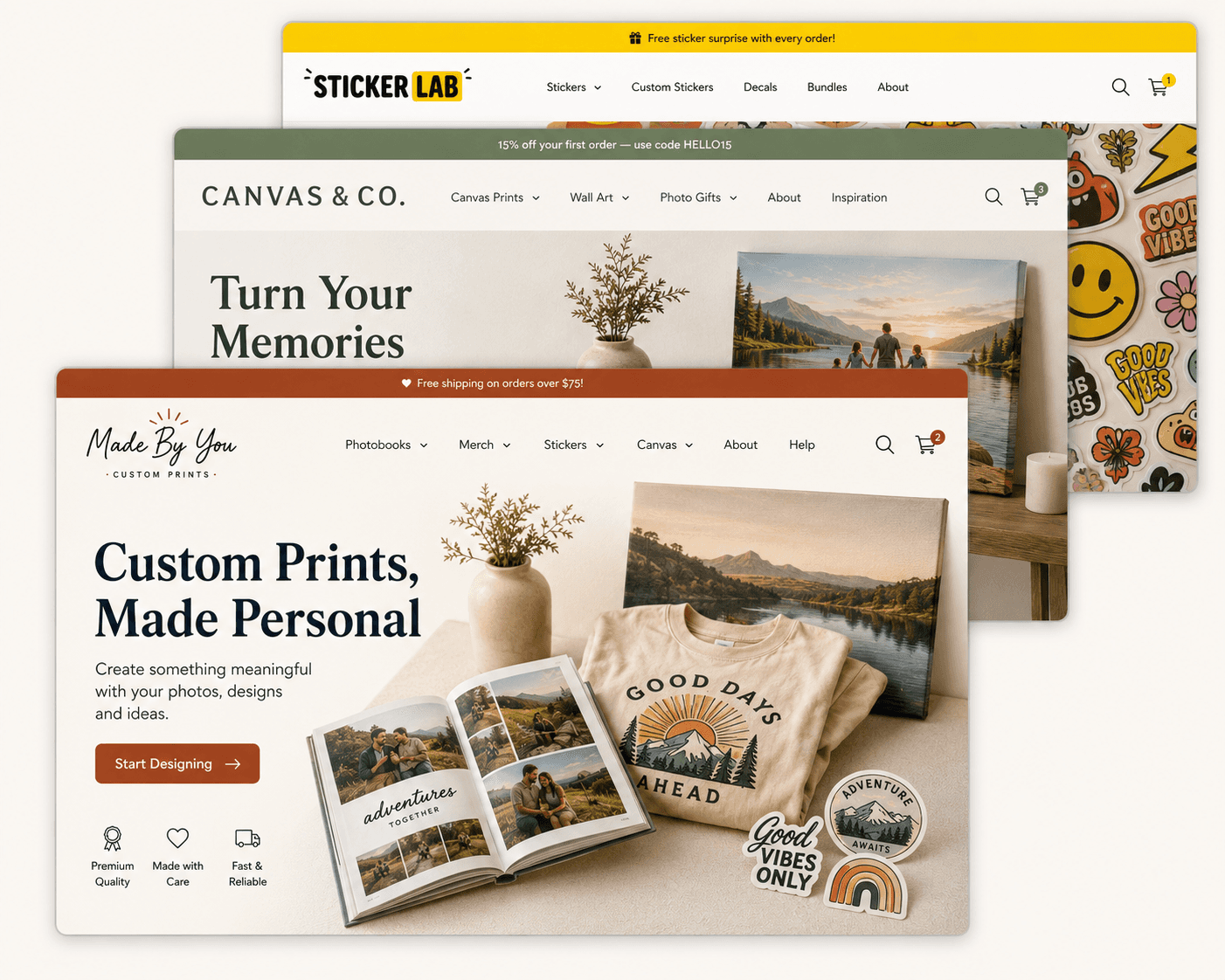
White-label product design tools for print companies, agencies, and multi-brand storefronts — your logo, your domain, your pricing, our engine underneath.
Book a free demo
See how theming works

Live in weeks, not quarters
Press-ready output on every order
One license, every design engine

20+
design engines under one license
15+
custom CSS files per client
7
config object per brand
Who Licenses This
Three kinds of businesses run on this
platform
If your customers already want to design and order print products, you don't need to
build the editor — you need to brand it.
For print companies
Trade printers & production shops
You have the presses and the fulfillment. Give your storefront a design tool that matches your site instead of sending customers to a generic uploader.
For agencies & platform builders
Anyone building a print or personalization storefront
Building a marketplace or vertical SaaS for print, packaging, or personalized goods? License a working design engine instead of building one from zero.
For multi-brand operators
Franchise & multi-storefront businesses
Run several storefronts from one back office? One license, one integration, a different brand color and domain per storefront.
How You Go Live
Three steps, no CSS on either side
This is the same theming architecture already running our client photobook
and gallery wall tools — not a plan for a future feature.
1
Share your brand color, radius, and heading font
One small config — no design files, no CSS, no build pipeline on your side.
1
We configure your theme layer
Hover, pressed, and tint states are derived automatically, and button text contrast is
checked against your color so it never breaks by accident.
1
Your storefront goes live on your domain
Changing the brand color later is a config update, not a redeploy.
What You're Licensing
Seven design engines, one integration
License the whole suite or start with one — the theming and account layer are
shared, so adding an engine is configuration, not a new project.
GB
Gang Sheet Builder
DTF gang sheet layout with automatic nesting and size-based pricing.
GW
Gallery Wall Designer
Shelf-packing layout engine with finish, size, and matte controls.
FP
Fabric Pattern Visualizer
Half-drop, mirror, and repeat preview for custom fabric orders.
+
Add engines anytime
Shared theming and account layer means new tools activate without a new integration.
Learn more →
Integrations
Drop it into the stack you already run
The editor ships as an embeddable widget with a documented API — it doesn't
require you to move platforms.
White-Label Platform
Book a free demo
Proof
Already running client-branded
storefronts
Real deployments on this theming architecture. Quotes below are flagged where
they still need sign-off from the named account — nothing ships to production
unlabeled.
[Quote pending — request approved wording from PixMagic before publish.]
PixMagic
Photo product storefront, full designer suite, own domain
PLACEHOLDER — DO NOT PUBLISH
[Quote pending — request approved wording from PixMagic before publish.]
Pixmywall
Rebranded via config change, no redeploy
PLACEHOLDER — DO NOT PUBLISH
[Quote pending — request approved wording from PixMagic before publish.]
WanderLab
Travel photobook brand, launched ahead of a seasonal deadline
PLACEHOLDER — DO NOT PUBLISH
Before you book the call
Do my customers ever see the WTPBiz name?
No. The editor runs on your domain, with your logo, your brand color, and your fonts. WTPBiz isn't referenced anywhere in the customer-facing experience unless you add it yourself.
Can I license more than one design engine?
Yes — the account and theming layer are shared across every engine, so adding a second or third tool is a configuration change, not a new integration project.
What if I run multiple storefronts under different brands?
Each storefront gets its own brand config — color, domain, corner radius, and heading font — from a single license.
Do I need developers to change the brand color later?
No. Changing the brand color is a config update on our side — hover, pressed, and tint states are derived automatically, so there's no CSS to touch and no redeploy to wait on.
Does the output stay press-ready across every engine?
Yes. Every design engine generates a press-ready file automatically at checkout, regardless of which brand theme is applied.
Ready When You Are
See your brand inside the editor,
live, in 20 minutes.
Bring your logo and your brand color. We'll theme a real design engine on
the call.

